Mic to Speaker Bluetooth Mic
- 4.1
- Rating
- 1.00M
- Installs
- Free
- Price
 Analysis by App-foxy
I tried Mic to Speaker Bluetooth Mic as a simple way to turn a phone into a microphone for a nearby speaker, and my overall impression is fairly practical: it can be useful when I need a quick voice feed without carrying a dedicated microphone, but it is not a replacement for proper audio equipment. The app sits in the medical category, although its everyday purpose is much closer to a utility for sound amplification and casual announcements. It is free to install, with optional purchases listed from $3.99 to $20.00 per item.
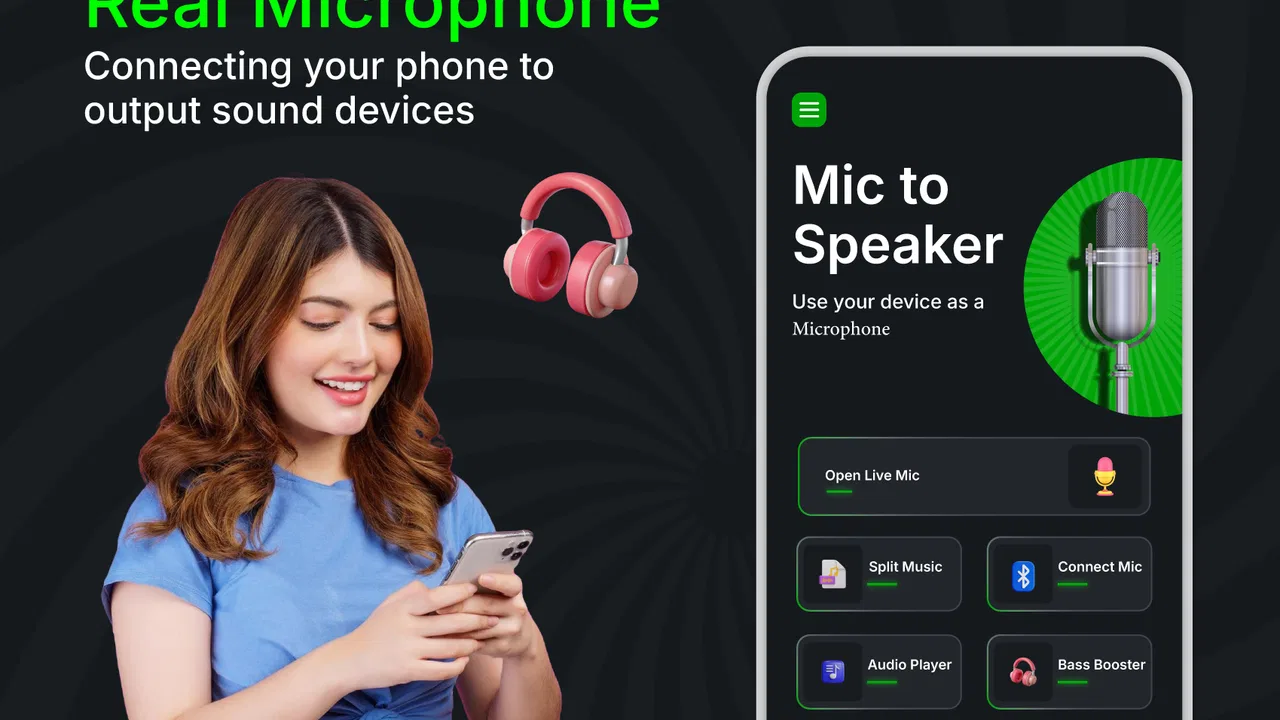
The basic idea is easy to understand. Your phone captures your voice, then the sound is sent toward a speaker through a wireless connection or another supported audio route. That makes the app appealing for small, informal situations where convenience matters more than polished sound. I can imagine using it for a short announcement at home, a reading exercise, or a quick indoor activity where a full public-address setup would feel excessive.
What matters most with an app like this is not a long feature list. It is whether the connection behaves predictably, whether the delay is tolerable, and whether I remain in control of when the phone is acting as a microphone. Those details decide whether the experience feels helpful or frustrating. My review therefore focuses on practical use, trust, visible choices, and the moments when sending live voice audio from a phone deserves extra care.
You May Also Like

 Blood Strike: 2.5 Anniversary
Blood Strike’s Loadouts Turn Every Drop Into a Tactical Gamble
A close look at Blood Strike’s custom loadouts: how fast access to signature weapons reshapes its battle royale rhythm, rewards preparation, and narrows the gap between fights.

 Pandora - Music & Podcasts
Pandora’s Music Is Easy to Start, but Harder to Recover
Pandora’s strength is its low-effort path from a seed to a station. Its weak spot is how much confidence it asks you to place in connection, setup, and quiet recovery.

 8 Ball Pool
 Is Built on Rivalries, Rematches, and Routine
A close look at the rivalries, rematches, shared routines, and unanswered safety questions that turn a quick pool match into a persistent mobile community.

 Samsung Music
’s Quiet Strength Is Playing What You Already Own
Its reach comes less from spectacle than from dependable access to a personal library. That simplicity is both the app’s strongest retention engine and its ceiling.

 AccuWeather: Weather Radar
AccuWeather Review: A Quick, Clear Forecast for Everyday Decisions
For everyday plans, the best forecast is the one you can understand quickly. AccuWeather makes rain timing, radar, and local conditions easy to act on, with a few trade-offs.

 Hill Climb Racing
Why Hill Climb Racing Still Turns Crashes Into One More Run
A tiny car, a bumpy hill and one more upgrade: Hill Climb Racing keeps resurfacing because its simple chaos makes every near-miss feel personal.
More From Our News Desk
View All News


How the app feels in real everyday use
On first use, I would approach this as a quick utility rather than something to leave running all day. The phone needs to be positioned sensibly, the speaker needs to be ready to receive audio, and both devices need a stable connection. That setup is not difficult, but it is more dependent on the surrounding equipment than a normal voice recorder. If the speaker is already paired and nearby, the process is much more convenient than unpacking a wired microphone and amplifier.
A realistic example is a small family gathering in a living room. Someone wants to read a message aloud while people at the back struggle to hear. Placing the phone at a comfortable distance, connecting it to a speaker, and speaking clearly can solve the immediate problem. I would keep the phone stationary rather than holding it close to my mouth, because movement changes the distance to the microphone and can make the volume inconsistent.
Another useful situation is a short practice session. A person rehearsing a presentation, reading aloud, or leading a simple indoor activity may benefit from hearing their voice through a speaker. This can make it easier to judge whether the delivery is loud enough for a room. Still, I would not treat the result as a reliable measurement of professional sound quality. The phone microphone, wireless connection, and speaker all influence what comes out.
The biggest practical trade-off is latency. Live microphone apps can introduce a small delay between speaking and hearing the amplified voice. Even a modest delay can feel distracting when you are trying to speak naturally. It is less troublesome for occasional announcements than for singing, playing an instrument, or leading a tightly timed performance. For those uses, a dedicated wireless microphone system or a direct wired connection is usually the better choice.
Room layout also matters. A speaker placed too close to the phone can create feedback, producing a sharp squeal or an unpleasant loop of sound. I would start with low volume, keep the phone and speaker separated, and increase the level gradually. This is one of the most important practical habits with the app because the problem may appear to be an application failure when it is really a microphone-and-speaker placement issue.
What the connection is good at, and where it becomes fragile
The app makes the most sense when the goal is a short, local voice feed. A nearby Bluetooth speaker can be convenient for a room, but wireless audio is not automatically the same as a professional microphone link. Walls, distance, competing wireless devices, and the speaker itself can affect the experience. If the sound cuts out, I would first check the connection and speaker position before assuming the app is at fault.
It is also worth remembering that a phone microphone is designed for general communication, not necessarily for consistent stage vocals. Speaking directly toward the phone from a reasonable distance should work better than turning away or covering the microphone area. Clothing, wind, background conversation, and handling noise can all reduce clarity. The app can pass along what the phone hears, but it cannot turn a noisy recording environment into a quiet one.
For a classroom, community room, or outdoor event, I would be cautious. The setup may be adequate for a small space and a brief task, but reliability becomes more important as the audience, distance, and consequences grow. A dedicated system generally offers more predictable range, better control, and less dependence on a phone remaining available for other work.
One non-obvious limitation is that using the phone as a live microphone changes how I can use that phone at the same time. I would not plan to move between apps, take calls, record video, or manage a complicated presentation without testing the exact workflow first. A phone is a multitasking device, but live audio can make its role more specialized while the session is active.
Small setup choices that make a noticeable difference
I found that preparation matters more than people might expect. Before speaking to a group, I would test the full chain with a short sentence, listen for delay, and check whether the sound is loud enough without becoming harsh. This takes less time than troubleshooting in front of an audience. It also reveals whether the speaker is actually receiving the phone’s audio route.
For clearer speech, I would use a steady speaking distance and avoid pointing the phone directly toward the speaker. If the sound starts ringing, lowering the speaker volume and increasing the physical distance is usually more sensible than simply speaking louder. I would also keep the phone charged, because live audio use can be more demanding than a quick recording or ordinary messaging.
A useful workflow is to place the phone on a stable surface with the microphone unobstructed, then stand where the audience will be. This gives a more consistent result than holding the phone in one hand while moving around. If I need to walk, I would test that movement first, because changes in distance and orientation can affect voice level and feedback risk.
These are not glamorous features, but they are the difference between a useful emergency tool and a disappointing demonstration. The app provides the bridge between phone input and speaker output; the surrounding setup determines much of the final quality.
Trust, controls, and moments that deserve caution
Because this app handles live microphone input, I pay attention to trust in a very practical way. The important question is not simply whether the app can make sound. It is whether I can tell when the microphone is active, whether I understand the connection I am using, and whether I can stop the audio feed quickly. I prefer to start a session deliberately and end it as soon as the task is finished.
Android’s microphone permission system is an important part of that process. I would read the permission prompt rather than approving it automatically, and I would review the permission later in the phone’s settings if I no longer use the app. The application’s function clearly depends on microphone access, but that does not mean I should leave access enabled indefinitely without a reason.
I would also pay attention to any visible controls or notices presented during setup, especially around optional purchases, connectivity, and microphone use. The app is free to install, but optional in-app items range from $3.99 to $20.00 per item. I would not purchase anything merely to solve a connection problem until I had confirmed that the speaker pairing, volume, and phone permissions were already correct.
Data-sensitive moments are easy to overlook with a live microphone. I would avoid using the app in a room where private conversations are taking place unless everyone understands that the phone is capturing sound for amplification. I would also avoid placing it near confidential discussions, medical information, passwords, or personal documents being read aloud. Even when the intended use is harmless, an active microphone changes the privacy context of the room.
For children or shared devices, I would be especially careful about who starts the microphone session and who can hear the output. The app has an Everyone content rating, but an age label does not replace supervision or good judgment around recording and live audio. I would explain the purpose before using it around other people and stop the session when the activity ends.
One practical trust habit is to disconnect the speaker and close the audio session when finished, rather than assuming that silence means everything has stopped. I would then check the phone’s microphone indicator or permission controls if I felt uncertain. This is a simple user-controlled routine and does not depend on guessing what happens in the background.
Who will appreciate it, and who should choose something else
I think the app is best for people who occasionally need louder speech in a small setting and already own a compatible speaker. It can be a sensible tool for a household, a casual practice session, or a brief announcement where carrying a microphone system would be unnecessary. It is also approachable for someone who wants to experiment with phone-based amplification before buying dedicated equipment.
I would be less enthusiastic about it for performers, teachers who need dependable coverage every day, presenters who cannot tolerate delay, or anyone working in a large and noisy venue. Those users should look at a dedicated wireless microphone, a wired microphone with a mixer, or a speaker system designed with microphone input. Such equipment costs more and takes more preparation, but it is usually built for the exact reliability this app cannot guarantee on its own.
I would also skip it if the main goal is recording clean audio. A live microphone-to-speaker tool is not the same as a recorder, editor, or studio application. If I wanted to preserve a speech, interview, or performance, I would choose software designed for recording and review rather than relying on amplified playback.
The developer behind the app is GameChief FZ-LLC. The current version is 3.1.2, and it supports devices running Android 8.0 or later. That makes it accessible to many older Android phones, though real-world performance will still depend on the phone’s microphone, Bluetooth behavior, speaker compatibility, and system settings.
The app has reached over a million installs and carries a 3.9 average from around six thousand ratings. I read that as a sign of genuine interest rather than proof that every setup will work smoothly. The smaller number of written reviews means I would give more weight to my own test with the exact phone and speaker I plan to use. Wireless audio is too dependent on hardware and environment for a general rating to answer every compatibility question.
My final view after weighing convenience against control
Mic to Speaker Bluetooth Mic is useful when convenience is the priority and expectations stay modest. I like the idea of keeping a phone and a speaker as a lightweight backup for short indoor tasks. The app can save time when a dedicated microphone is unavailable, and its free entry point makes it easy to test before committing to equipment.
At the same time, I would not rely on it for an important event without a rehearsal. Delay, feedback, wireless interruptions, phone availability, and room acoustics all matter. The application is only one part of the audio chain, so a good result depends on careful placement and a compatible speaker. That is not a criticism unique to this app; it is the central trade-off of using a phone as a live microphone.
My recommendation is to install it if you have a clear occasional use and are comfortable checking microphone access, connection status, volume, and privacy before each session. Test it with a short sentence, keep the phone away from the speaker, and end the session deliberately. If you need professional consistency, low latency, or coverage across a demanding venue, spend the money on a proper microphone setup instead.
In short, I see this medical-category app as a convenient sound utility rather than a complete public-address solution. It earns a place as an emergency or casual tool, especially for people who already have the necessary speaker. Its value comes from quick access and user control, while its limits become obvious when the audience, distance, privacy concerns, or performance expectations increase.
FAQs for Mic to Speaker Bluetooth Mic
01What is Mic to Speaker Bluetooth Mic and how does it work?
Mic to Speaker Bluetooth Mic is an app that turns your smartphone into a live microphone. By connecting your phone to a Bluetooth speaker, it amplifies your voice in real-time. This is perfect for presentations, events, or even karaoke. Simply pair your device with a speaker and start using the app to project your voice.
02Is Mic to Speaker Bluetooth Mic compatible with all Bluetooth speakers?
While Mic to Speaker Bluetooth Mic is designed to work with most Bluetooth speakers, compatibility can vary based on the speaker model and your device's operating system. It's recommended to check the app's specifications and ensure both your phone's OS and the speaker support the necessary Bluetooth profiles.
03Does the app require an internet connection to function?
No, Mic to Speaker Bluetooth Mic does not require an internet connection to function. It relies on Bluetooth connectivity between your smartphone and the speaker. However, an internet connection might be needed for downloading updates or accessing certain features within the app.
04Are there any latency issues when using the app?
Latency can occur depending on the quality of your Bluetooth connection and the distance between devices. While the app is optimized to minimize delay, users might experience slight lag. It's recommended to keep both devices close and ensure a strong Bluetooth connection for the best experience.
05Is Mic to Speaker Bluetooth Mic free to use, or are there in-app purchases?
The basic version of Mic to Speaker Bluetooth Mic is free and provides essential features. However, there may be in-app purchases that unlock additional functionalities, such as advanced sound controls or premium voice effects. Users can choose to upgrade based on their needs.
Pros
- Easy to connect with Bluetooth devices.
- Clear audio output with minimal delay.
- User-friendly interface for quick setup.
- Supports a wide range of devices.
- Compact design for portability.
Cons
- May experience occasional connection drops.
- Limited range compared to some competitors.
- Battery life could be improved.
- No option for wired connection.
- Lacks advanced audio customization features.

Mic to Speaker Bluetooth Mic
Gallery